Thực hiện:
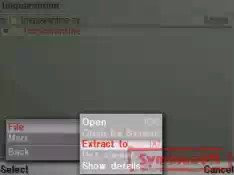
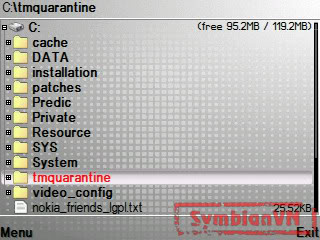
1. Giải nén Quarantine vào ổ C. Dùng Xplore 1.58 cho máy chưa hack Quarantine x-plore 1.58 Bạn sẽ có đường dẫn C:
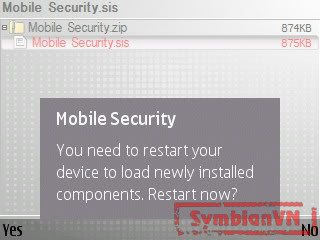
mquarantine/ 2. Cài Mobile Security 3.Nó hỏi bạn Restart hay không ?
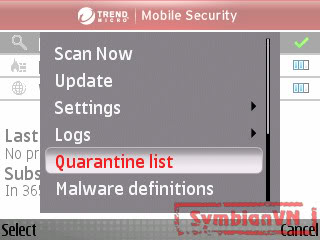
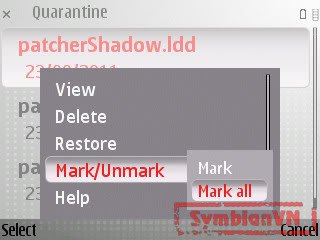
bạn chọn No nhé ! 4. Truy cập Mobile Security, vào Options- Quarantine list 5. Chọn mark/unmark, bạn chọn
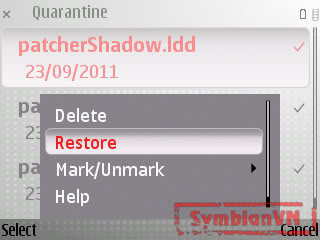
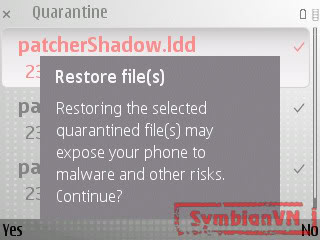
mark all nhé 6. Tiếp tục Options - Restore at all
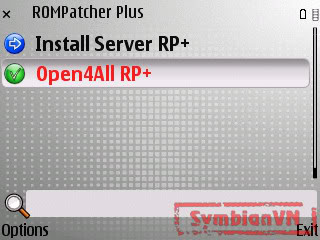
files 7. Tắt Mobile Security rồi vào App.manager xóa nó.ko xóa cũng đk 8. Cài rompatcher 3.19. Truy cập RomPatcher+ và apply
các patch:
- Open4all (Đối với S60v3 FP1chỉ
xanh được cái này thôi)
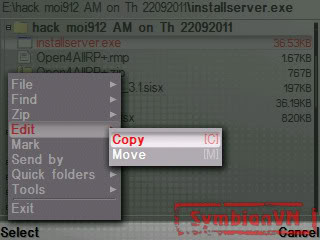
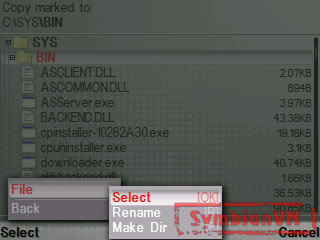
- Installserver RP+ 10. Sau đó chép installserver.exephù hợp với máy mình ở dưới cho vào C/sys/bin Installsever ->installserver91: cho E60, E61i, E62, E65, E70, N71, N73, N75, N77, N80, N91, N91, N92. ->installserver92: cho E51, E90, N76, N81, N81 8GB, N82, N93, N93i, N95, N95-2, 6290, 5700, 6120, 6110. ->installserver93-94 FP2 cho Nokia
5320 XpressMusic, 5630
XpressMusic, 6210 Navigator,
6650, 6710 Navigator, 6720 classic,
C5,N78,N79, N85, N86, N96,E52,
E55, E72,E75 ,5730XM.
Nguồn:Symbianvn.net